Features
Courses, attendance and training records
Set up courses with videos, SCORM and quizzes. Record attendance, confirm results and download course documents. The Altavia examples show how these steps work in Akadia.
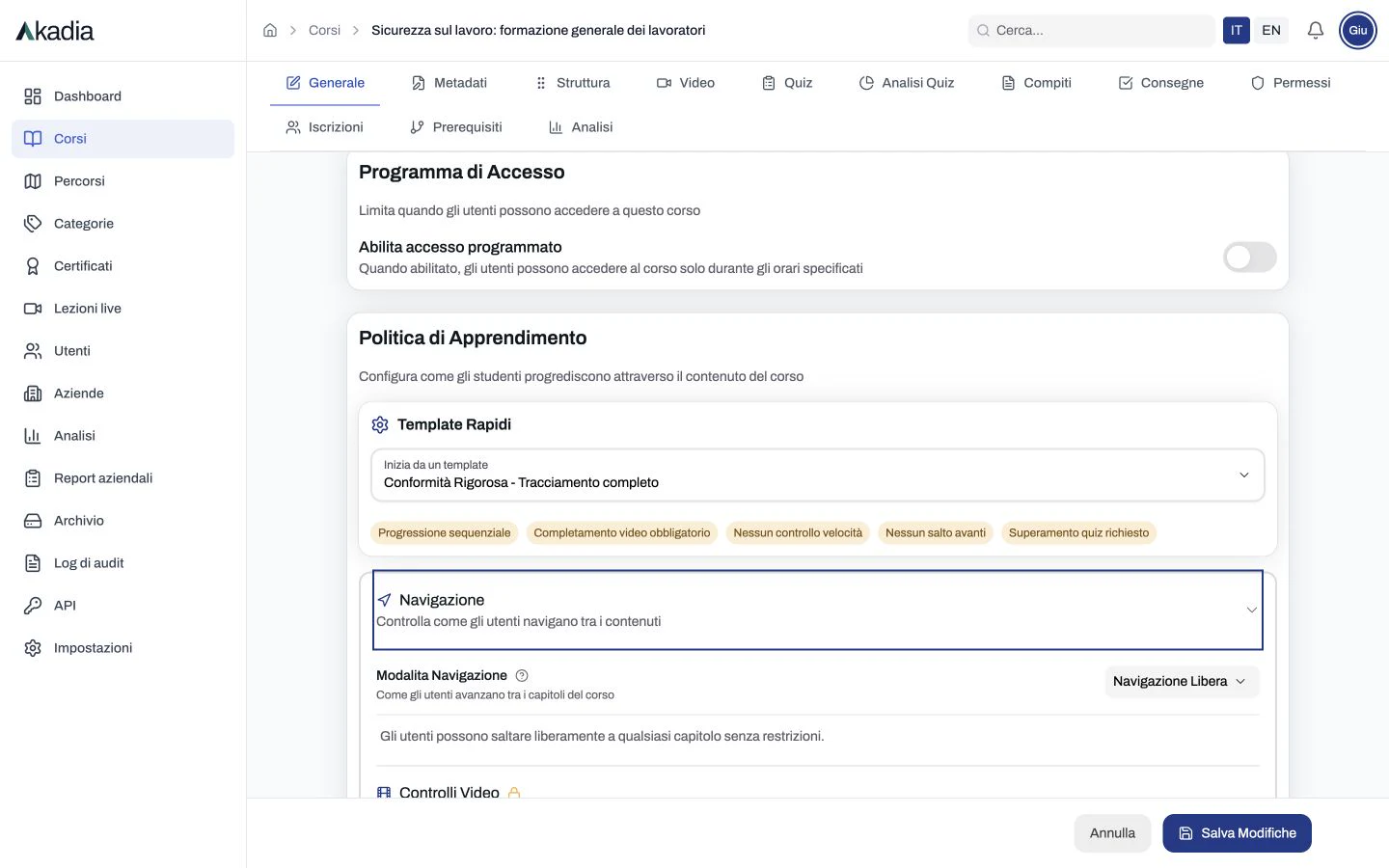
Rules for taking courses
Free viewing
Free navigation between chapters, skipping allowed, playback up to 2×. For informational content and non-mandatory training.
Guided learning
Sequential progression: each chapter unlocks when the previous one is complete, and videos must be watched to the end. Maximum speed 1.5×.
Quiz gated
Like guided learning, with a passing quiz score required to continue. Three attempts maximum, then the material must be reviewed. Tab-switch detection.
Strict compliance
Playback locked at 1×, no skipping ahead, video restarts on tab switch, minimum watch time of 90% of the duration. Automatic certification.
Human validated
At 100% the completion waits for explicit approval from an administrator or instructor. For direct supervision.
Materials, assessments and lessons
Video
Upload MP4 (H.264) or WebM files. Videos play as uploaded, with resume playback, in-video questions and captions by language.
SCORM 1.2 and 2004
Upload a ZIP package and view progress, completion and results when the package reports them.
How to test a SCORM courseQuizzes
Multiple choice, true or false, matching, open answer. Per-question timer, randomisation, configurable pass mark and attempts.
Assignments
Submission by file, free text or link. Grading workflow with score, feedback and resubmission.
Files
Downloadable documents: PDFs, decks, spreadsheets. Every download stays on record.
Links
Links to complementary external resources, with tracked opening inside the path.
iFrame
Content embedded from third-party platforms, integrated into the chapter without leaving the path.
Classroom and video conference lessons
Use a QR code, a short code or roll call in the classroom. For video conferences, add the meeting link and import a report from Zoom, Meet or Teams. The instructor reviews and closes the register.
See the Altavia attendance registerManaging multiple client companies
How Akadia organises client companies
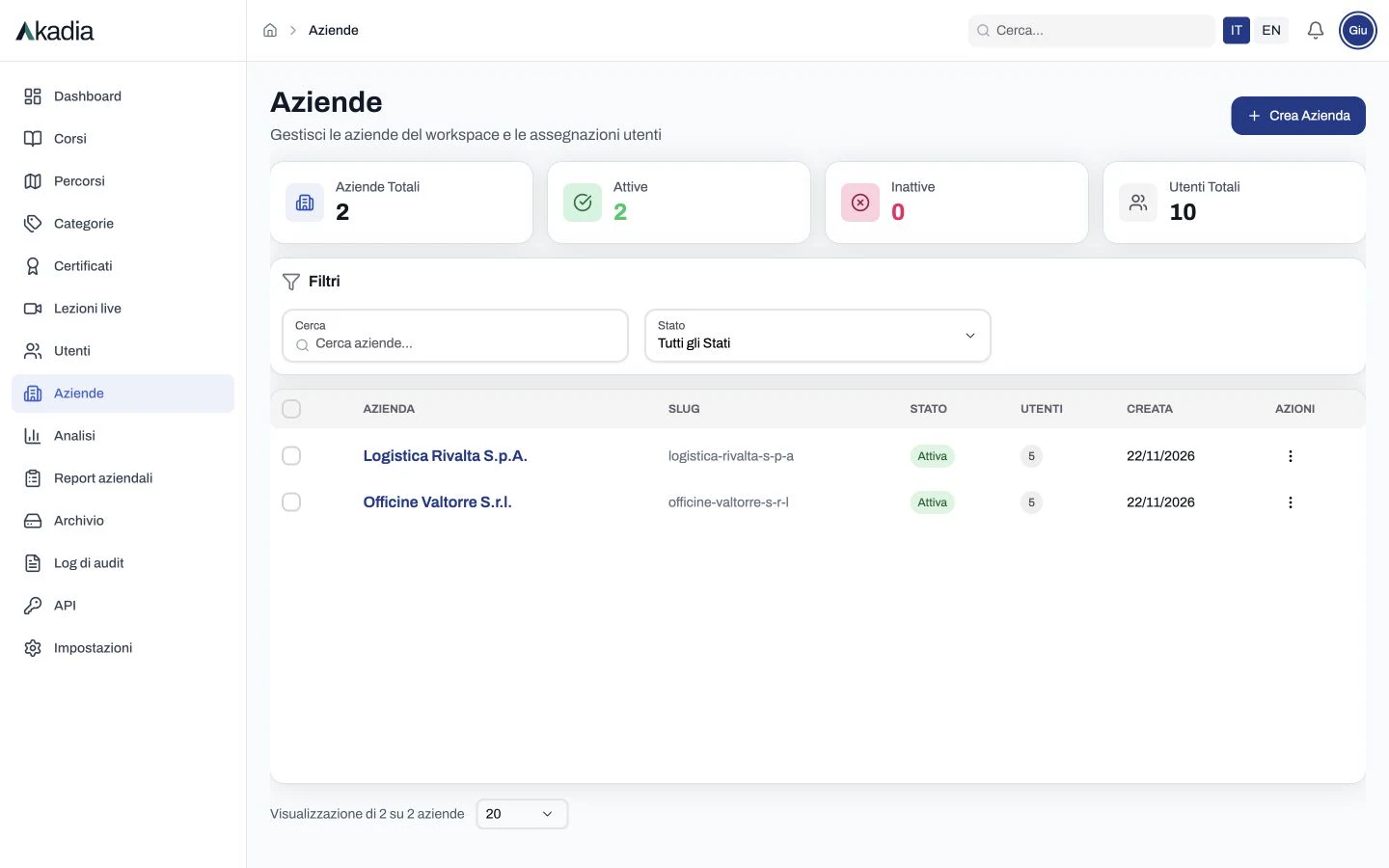
The screenshot shows the company list in the Altavia demo training centre.
- Workspace. The area for the provider’s courses, people, branding and security settings.
- Client company. Groups a client’s staff so you can assign courses and review reports by company.
- Roles. The administrator manages the workspace. Client contacts access their own company. Learners take the courses assigned to them.
- Permissions. View, enrol and manage: per single user or per whole company.
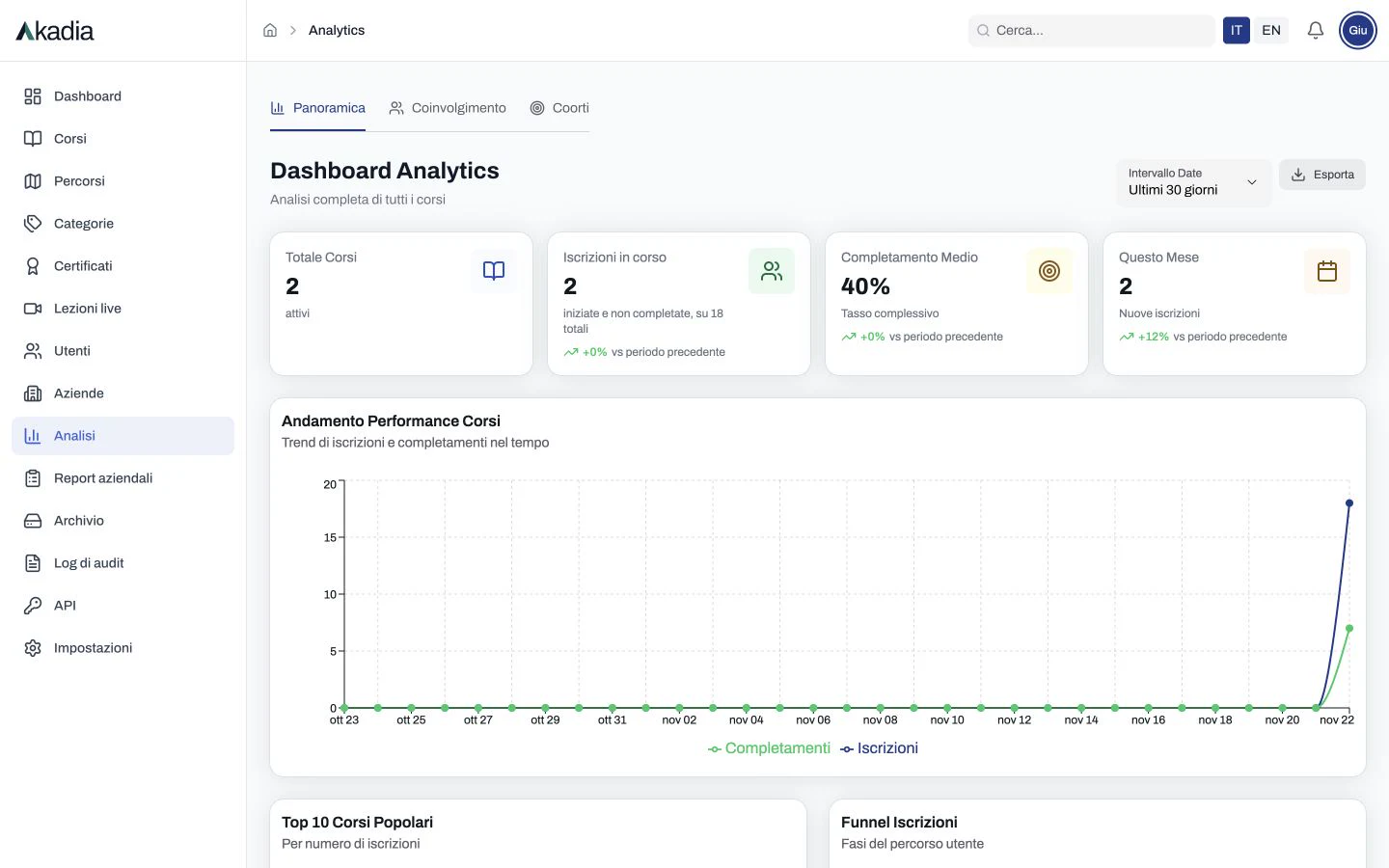
Results, course files and certificates
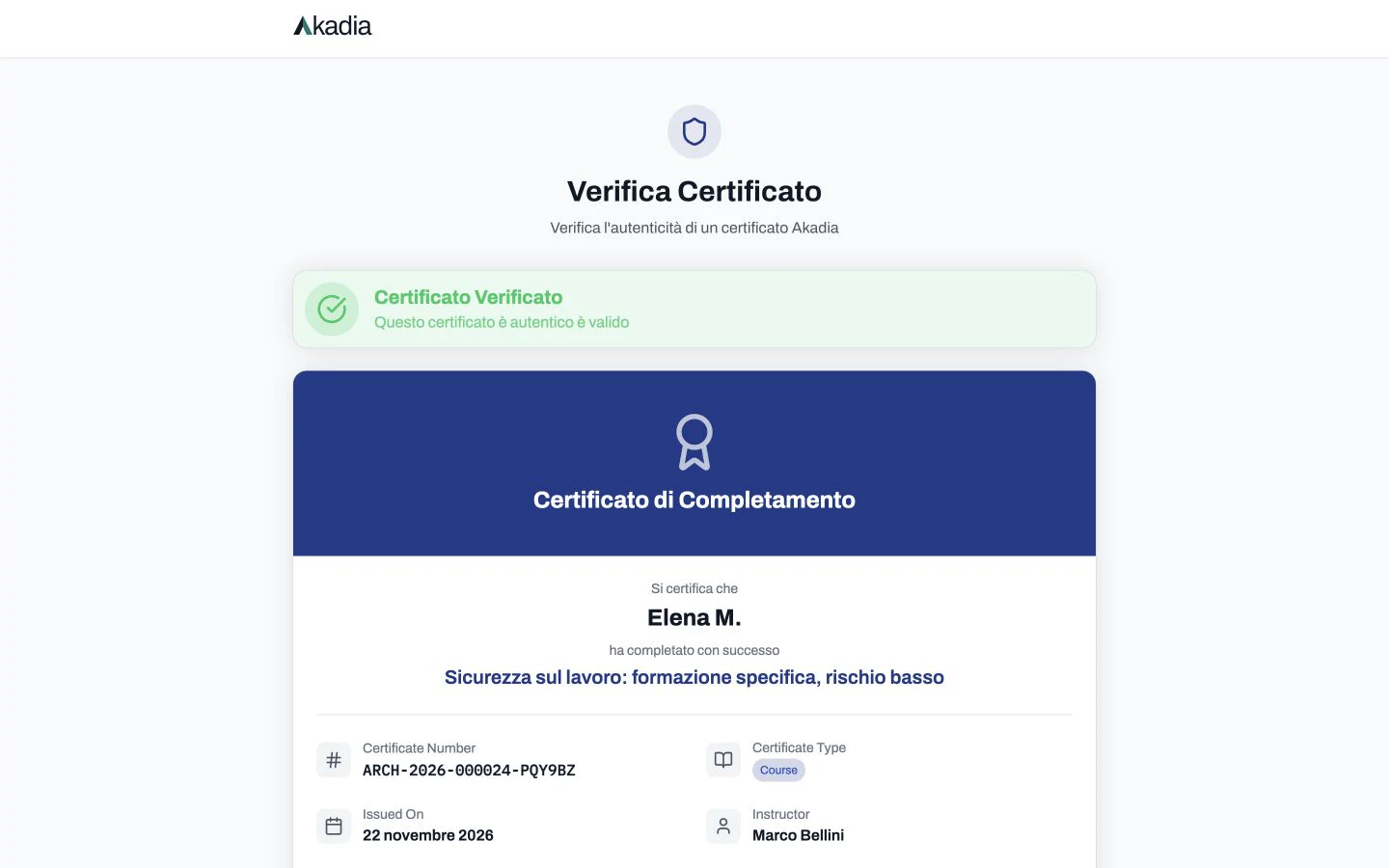
Certificates with online verification
Unique number, automatic PDF generation, configurable expiry for mandatory training, manual revocation. Whoever has to check it only needs one link.
- Public verification. Anyone with the link can check the status of the certificate issued in Akadia.
- Custom templates. Logo, colours, text with dynamic variables: name, course, date, score.
- Activity log. Recorded actions show when they happened, who performed them and the item they affected.
- Compare groups. Compare results by group, year or learning path. Export formats depend on the report and plan.
Access controls and data processing
Passwords and sessions
Minimum length, complexity requirements, idle timeout and lockout after a configurable number of failed attempts.
Time slots
Course access limited to specific days and hours, with a customisable message outside the allowed window.
SAML/OIDC SSO and two-factor authentication
SAML 2.0 and OpenID Connect for corporate single sign-on. Second factor with an authenticator app.
Where data is processed
The application and database are hosted in Germany. Files, backups and email use the services listed on the sub-processor page.
See how to close a course
In 30 minutes, we’ll show you how to import attendance, confirm the assessment record and download the course documents.