Guides for training providers
What goes into a training course file?
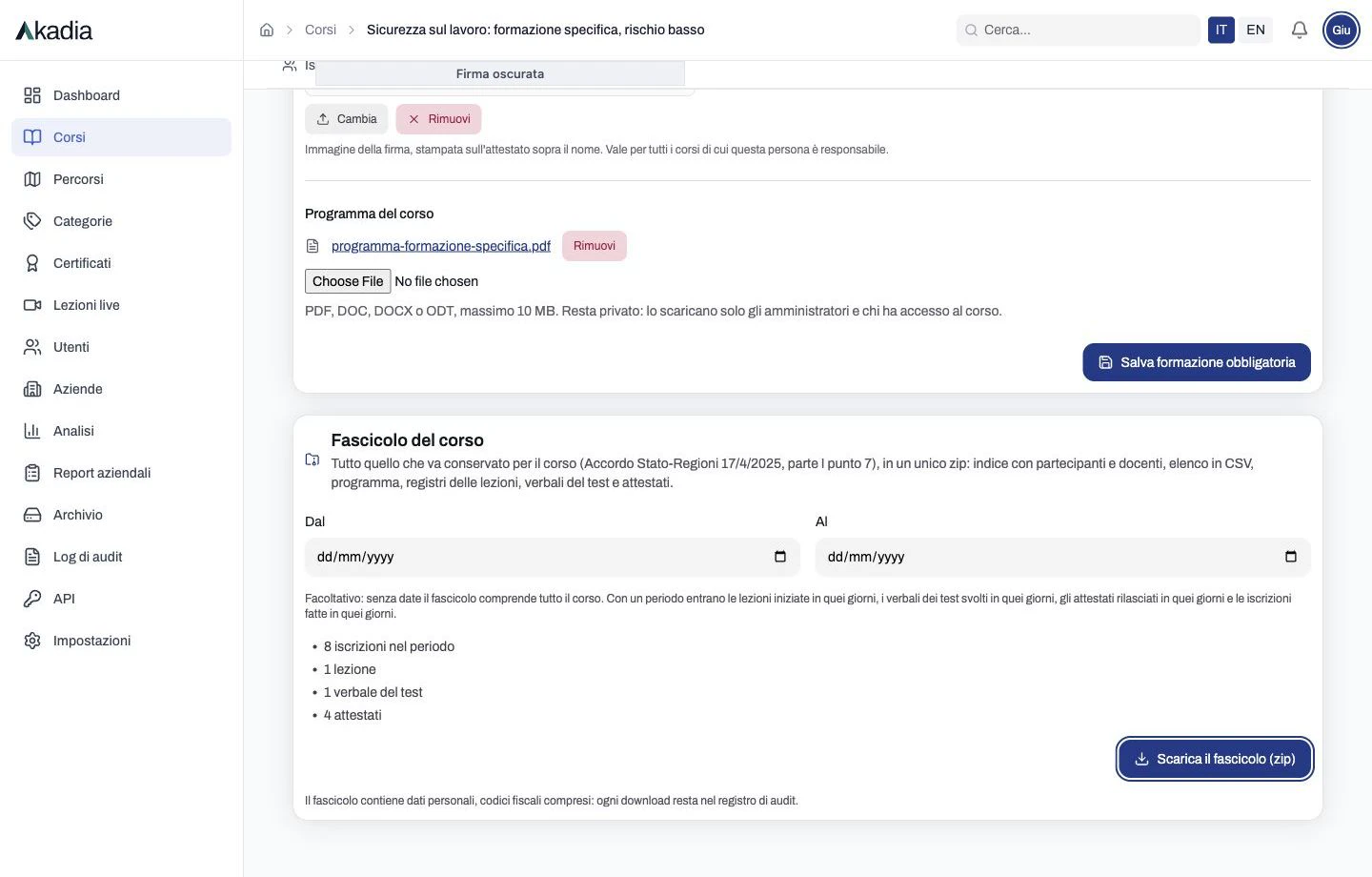
The course file contains an index, the list of participants, the syllabus and any available registers, assessment records and certificates. In Akadia an administrator downloads the documents together as a ZIP and uses the index to check for missing items.
Start with the closed attendance register
The instructor checks join times, leave times and attendance duration before closing the lesson register. For a video conference, the instructor can use an imported meeting report, as in the Altavia demo centre’s Zoom lesson.
Confirm the final assessment record
In the Quiz tab, the administrator opens the final assessment record, reviews the results and confirms it on behalf of the training manager.
In the demo course, four of the five eligible learners pass the test. Their four certificates go into the course file with the attendance register and assessment record.
Export the ZIP and check the index
Open the course’s Mandatory training tab and download the ZIP. The index lists the documents and shows any items that are missing.
The Altavia course file summary shows aggregate data for the course. You can also download and verify the sample certificate.
Frequently asked questions
How do the attendance register, assessment record and course file differ?
The register records who attended. The assessment record lists the test results. The course file brings these together with the other available documents for the course.
How do I verify a certificate?
Anyone with the PDF can open its verification link and check the status in Akadia. The Altavia certificate also has a QR code that opens the demo verification page.
See the workflow in Akadia
In 30 minutes we’ll show you how to go from an attendance report to a downloadable course file.